The internet has made everyday life easier. We shop online, transfer money instantly, attend meetings, and connect with people across the world. However, along with convenience, the digital world also brings certain risks. One of the most common concerns users face today is online scams.
Online scams are attempts by fraudsters to trick people into sharing personal information, passwords, or money. These scams can appear in many forms, such as emails, messages, fake websites, or phone calls. Most scams follow predictable patterns. Once you understand how they work, they become much easier to recognize and avoid.
In this article, we will explain what online scams are, the common types you may encounter, warning signs to watch for, and simple, practical steps you can take to stay safe. The goal is not to create fear, but to build awareness and help you use the internet more confidently.
What Are Online Scams?
Online scams are fraudulent activities where someone pretends to be trustworthy to gain access to your personal data and Privacy, accounts, or money. Scammers often disguise themselves as:
- Banks or financial institutions
- Popular companies or service providers
- Government departments
- Customer support teams
- Friends or known contacts
Their main goal is to convince users to take quick action without thinking carefully. This may include clicking a suspicious link, downloading an attachment, or sharing sensitive details.
Understanding that scams rely on tricks and urgency, rather than technology, is the first step toward protecting yourself.
Why Online Scams Are Increasing
There are several reasons why online scams are becoming more common:
Lack of Awareness
Many users are not familiar with scam tactics, making them more likely to trust fake messages.
The solution is not avoiding the internet, but learning how to use it safely and responsibly.
Growing Internet Usage
More people are using smartphones, digital payments, and online shopping. This creates more opportunities for scammers to target users.
Easy Communication
Emails, messaging apps, and social platforms allow scammers to reach thousands of people quickly.
Common Types of Online Scams
Recognizing common scam types helps you stay alert in everyday situations.
- Phishing Emails: Phishing emails pretend to be from trusted companies. They often ask you to:
- Reset your password
- Verify your account
- Click on a link
- Download an attachment
These emails may look professional, but the links usually lead to fake websites designed to collect your login details.
- Fake Websites: Some scammers create websites that look almost identical to real ones. These sites may offer:
- Huge discounts
- Free gifts
- Limited-time offers
When users enter their details or make payments, the information goes directly to scammers.
Always check the website address carefully before entering any personal data.
- Investment and Lottery Scams: These scams promise easy money or prizes. For example:
- “You won a lottery you never entered”
- “Double your money quickly”
- “Guaranteed returns with zero risk”
Legitimate businesses rarely make unrealistic promises. Too-good-to-be-true offers are scams.
- Tech Support Scams: In this scam, someone pretends to be technical support. They may claim:
- Your device has a virus
- Your account has a problem
- Immediate action is required
They might ask for remote access or payment to “fix” the issue. Genuine companies do not contact users this way without prior request.
- Social Media and Messaging Scams: Scammers may send messages through social platforms pretending to be friends or known contacts. They might request:
- Money
- OTP codes
- Personal details
Sometimes accounts are compromised, and messages appear genuine. Always verify before responding
Warning Signs of Online Scams
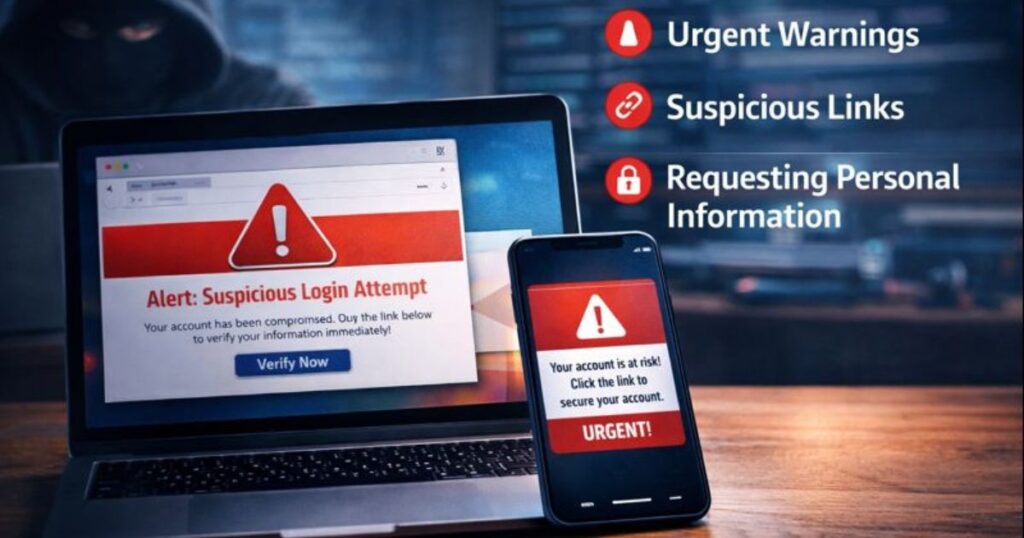
Most scams share similar red flags. Learning these signs can help you identify suspicious activity quickly.
- Urgency or Pressure: Messages that say “Act now” or “Your account will be blocked immediately” try to create panic.
- Requests for Sensitive Information: Legitimate companies rarely ask for passwords, OTPs, or full banking details through email or chat.
- Poor Grammar or Spelling: Many scam messages contain language errors or unusual formatting.
- Unknown Links or Attachments: Unexpected links or files may lead to harmful websites or software.
- Unrealistic Offers: Extremely low prices or guaranteed profits should always raise suspicion.
When you notice one or more of these signs, it’s safer to pause and verify before taking action.
Simple Ways to Avoid Online Scams
Avoiding scams doesn’t require technical knowledge. Small habits make a big difference.
- Use Strong Passwords: Create unique passwords for each account. Avoid weak passwords like ‘123456’ or your name.
- Enable Two-Factor Authentication: Two-step verification adds an extra layer of protection even if your password is exposed.
- Verify Before Clicking: Check links carefully before opening them. Hover over the URL or type the website address directly into the browser.
- Use Trusted Sources: Download apps only from official app stores and visit websites you recognize.
- Keep Software Updated: Updates fix security issues and protect your device from known vulnerabilities.
- Avoid Sharing Personal Details Publicly: Limit the amount of personal information shared on social media or public forums.
- Use Secure Connections: Avoid accessing sensitive accounts on public Wi-Fi. Prefer secure, password-protected networks.
These habits reduce risk without affecting your daily internet use.
What to Do If You Suspect a Scam
Even careful users may occasionally encounter scams. Acting calmly is important.
Steps to Take:
- Do not click further links
- Do not share any information
- Close the suspicious page or message
- Change passwords if needed
- Contact the official company through their website
If money or sensitive data has already been shared, reach out to your bank or service provider for guidance.
Quick action often prevents further issues.
Teaching Family Members About Online Safety
Online safety is important for everyone, especially children and older adults who may be less familiar with digital risks.
Helpful Tips:
- Explain common scam examples
- Encourage asking before clicking unknown links
- Teach them not to share OTPs or passwords
- Set up basic security features on their devices
A little awareness can protect the whole family.
Common Myths About Online Scams
- “Only careless people get scammed”
- Scams can target anyone. Even experienced users can be tricked by well-designed messages.
- “I use antivirus, so I’m fully safe”
- Security software helps, but awareness and careful behavior are equally important.
- “Scams only happen through email”
- Scams can happen through calls, messages, social media, or fake websites.
Understanding these myths helps users stay realistic and cautious.
FAQs
Are online scams illegal?
- Yes, scams are illegal activities designed to deceive users. Awareness helps prevent becoming a victim.
Can strong passwords really help?
- Yes. Strong, unique passwords make it much harder for scammers to access your accounts.
Is it safe to shop online?
- Yes, when using trusted websites, secure connections, and safe payment methods.
Conclusion
Online scams are an unfortunate part of the digital world, but they can often be avoided with awareness and smart habits. By recognizing warning signs, verifying information, and following basic security practices, you can protect your personal data and Privacy enjoy the internet safely.
The goal is not to be fearful, but to stay informed. With the right approach, you can confidently use online services while keeping your information secure.