
Choosing the right laptop for students isn’t just about RAM, storage, or brand name. The processor (CPU) is the brain of the laptop, and it determines performance, battery life, multitasking, and future-proofing. Picking the wrong CPU can slow down daily tasks, cause lag in online classes, and make software like coding tools, Photoshop, or video editors frustrating to use.
This guide will help you pick the best laptop processors for students in 2026 based on budget, usage, and long-term value.
Why the Processor Matters for Students
A processor affects almost every aspect of laptop performance:
- Speed & Smoothness: Faster CPU = faster opening of apps, smoother multitasking, quicker compilation of code.
- Battery Life: Efficient processors consume less power, allowing longer study sessions.
- Software Compatibility: Some programs need more cores/threads to run smoothly.
- Future Proofing: A stronger CPU ensures the laptop remains usable for 4–5 years.
Even if a laptop has 16GB RAM, a weak processor like Pentium or Celeron can bottleneck your performance.
Understanding Processor Types
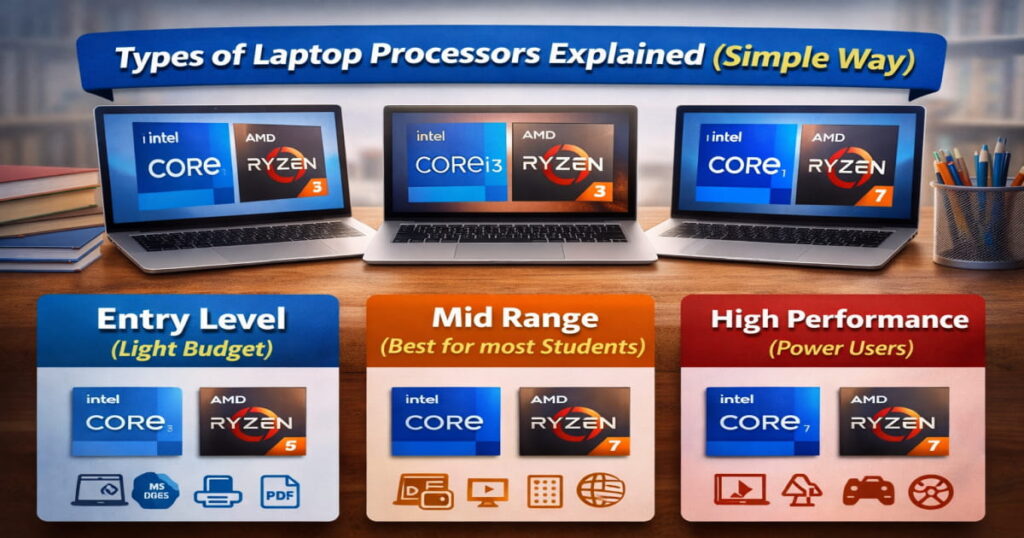
Here are the main processor types you’ll find in student laptops:
| Processor Category | Examples | Best For |
|---|---|---|
| Entry Level | Intel Celeron, Intel Pentium | Basic browsing, notes, online classes |
| Midrange | Intel i3/i5 U-series, AMD Ryzen 3/5 U-series | Everyday college work, multitasking |
| High Performance | Intel i5/i7 H-series, AMD Ryzen 5/7 H-series | Coding, editing, engineering apps |
| Premium | Apple M1/M2/M3 | Smooth performance + long battery life |
Entry-Level Processors
These processors are found in ₹20k–₹35k laptops and are suitable for light student work.
Intel Celeron
- Pros: Very affordable, handles basic tasks like MS Word, PowerPoint, PDFs, and browsing.
- Cons: Struggles with multitasking or heavy apps.
- Best For: School students or students on a tight budget.
Intel Pentium Silver/Gold
- Pros: Slightly faster than Celeron, handles more tabs and basic editing.
- Cons: Still limited for software like Photoshop or coding IDEs.
- Best For: Notes, presentations, light browsing.
Midrange Processors
These Laptop processors are perfect for most students, balancing speed, multitasking, and battery efficiency.
Intel Core U-Series (i3/i5/i7)
- Pros: Excellent battery, lightweight laptops, good for online classes, coding, and moderate editing.
Best Use:
- i3: Budget students, everyday tasks
- i5: Most college students, smooth multitasking
- i7: Heavy multitaskers or premium laptops
AMD Ryzen 3/5/7 U-Series
- Pros: Strong integrated graphics, high multitasking efficiency, usually cheaper than Intel.
Best Use:
- Ryzen 3: Basic student tasks
- Ryzen 5: Most students (recommended choice)
- Ryzen 7: Heavy multitaskers or creators
High-Performance Laptop Processors
These CPUs handle coding, video editing, 3D software, or engineering apps smoothly.
Intel H-Series (i5/i7/i9)
- Pros: More cores and threads, handles heavy applications, strong performance for long sessions.
- Best For: Engineering students, software developers, designers.
AMD Ryzen H-Series (5/7)
- Pros: Multi-core performance, value-for-money, good for demanding apps and moderate gaming.
- Best For: Students working with Adobe Suite, AutoCAD, or programming IDEs.
Premium Processors – Apple M-Series
Apple’s M1, M2, and M3 chips deliver excellent performance per watt, extremely long battery life, and smooth user experience.
- Pros: Handles heavy apps, excellent for coding, video editing, and design.
- Cons: Price is higher; some software may not be macOS compatible.
- Best For: Students with higher budgets looking for a premium experience.
U-Series vs H-Series – Quick Comparison
| Feature | U-Series | H-Series |
|---|---|---|
| Battery Life | Excellent | Moderate |
| Performance | Good | Very High |
| Best For | Everyday use, light tasks | Heavy editing, coding, gaming |
| Heat | Low | Moderate to High |
| Weight | Light laptops | Usually heavier |
How to Choose the Right Laptop Processor
Follow this simple 3-step method:
- Identify Your Usage
- Basic tasks → i3 / Ryzen 3
- Moderate multitasking, coding → i5 / Ryzen 5
- Heavy editing or CAD → i7 / Ryzen 7
- Check the Generation
- Intel: 12th Gen or newer
- AMD: 5000 series or newer
- Apple: M1 or newer
- Balance Budget and Performance
- CPU first → RAM → Storage → Brand
- Avoid very old generations; they lag quickly.
Recommended Minimum Specs for Students
- Processor: i5 / Ryzen 5
- RAM: 8GB (upgradeable)
- Storage: 512GB SSD
- Battery: 6+ hours
- Display: Full HD
This ensures smooth performance for 4–5 years.
Processor Comparison Table – For Easy Reference
| Processor | Performance | Battery | Best For | Price Range |
|---|---|---|---|---|
| Intel Celeron | ⭐ | ⭐⭐⭐ | Basic tasks | ₹20k–₹30k |
| Intel Pentium | ⭐⭐ | ⭐⭐⭐ | Notes, PDFs | ₹25k–₹35k |
| Intel i3 U | ⭐⭐⭐ | ⭐⭐⭐⭐ | Everyday use | ₹30k–₹45k |
| Ryzen 3 U | ⭐⭐⭐ | ⭐⭐⭐⭐ | Everyday + value | ₹30k–₹45k |
| Intel i5 U | ⭐⭐⭐⭐ | ⭐⭐⭐⭐ | Most students | ₹45k–₹65k |
| Ryzen 5 U | ⭐⭐⭐⭐ | ⭐⭐⭐⭐ | Best value | ₹45k–₹65k |
| Intel i5 H | ⭐⭐⭐⭐⭐ | ⭐⭐⭐ | Heavy editing | ₹65k–₹90k |
| Ryzen 5 H | ⭐⭐⭐⭐⭐ | ⭐⭐⭐ | Heavy tasks | ₹60k–₹85k |
| Intel i7 U/H | ⭐⭐⭐⭐⭐ | ⭐⭐⭐ | High performance | ₹80k+ |
| Ryzen 7 U/H | ⭐⭐⭐⭐⭐ | ⭐⭐⭐ | Creators / gaming | ₹80k+ |
| Apple M1/M2/M3 | ⭐⭐⭐⭐⭐⭐ | ⭐⭐⭐⭐⭐⭐ | Premium + battery | ₹80k+ |
|
Note: Prices mentioned are approximate and based on current market trends. Actual prices may vary depending on brand, offers, and availability.
Last Updated: February 2026 |
||||
FAQs
Q1. Is i3 enough for students?
Yes, for basic tasks only. Not recommended for coding or editing.
Q2. Which is better: Intel and AMD?
Both are good. AMD usually provides slightly better value.
Q3. Which Laptop processor is best for coding?
Intel i5 H / Ryzen 5 H or Apple M2/M3.
Q4. Should I buy i7 for college?
Only if you’re doing editing, CAD, or gaming.
Final Verdict
For most students in 2026, the best Laptop processor is Intel i5 U-Series or AMD Ryzen 5 U-Series. It balances performance, battery life, and future-proofing.
For heavy users or premium buyers, consider Intel i7 / Ryzen 7 H-Series or Apple M2/M3. For tight budgets, Intel Pentium or Ryzen 3 is sufficient for basic tasks.
Choosing the right CPU ensures your laptop remains fast, smooth, and efficient throughout your college years.