Buying a gaming laptop in 2026 is no longer just about picking a powerful GPU. The processor (CPU) has become equally important. Modern games are heavier on physics, AI, background calculations, streaming tasks, and multitasking. If your CPU is weak, even an RTX 5070 or 5080 GPU can bottleneck badly, leading to FPS drops, stuttering, overheating, and wasted money.
When looking for the best performance, understanding Gaming Laptop Processors are crucial — they determine how smoothly your games run and how well your system handles multitasking. So if you’re planning to invest in a gaming laptop this year, choosing the right processor is the smartest first step.
This guide breaks everything down in simple language — no confusing jargon — and focuses only on what actually matters for real-world gaming performance.
Why CPU Matters So Much in Gaming Laptops
Many users think:
“GPU hi sab kuch hota hai”
Not true anymore.
Here’s what the CPU handles during gaming:
- Game physics calculations
- NPC AI behavior
- Background tasks (Discord, streaming, Chrome tabs, OBS)
- Frame pacing & stability
- Minimum FPS (1% lows)
- Loading times
A weak CPU causes:
- Stutters even at high FPS
- Sudden frame drops
- Overheating
- GPU underutilization
A strong CPU gives:
- Smoother gameplay
- Stable FPS
- Better multitasking
- Longer laptop lifespan
So yes — CPU selection directly impacts your gaming experience.
What Makes a Gaming Laptop Processors Worth Buying
Before jumping into recommendations, understand these basics.
Core & Thread Count
Modern AAA games use multiple cores.
- Minimum: 6 cores
- Recommended: 8–14 cores
- Future-proof: 16+ cores
More cores = smoother multitasking + streaming + gaming together.
Clock Speed
Higher clock speeds = better single-core performance.
Single-core still matters heavily for:
- Competitive games (Valorant, CS2, Fortnite)
- Emulators
- Older titles
Target:
- Base: 3.5GHz+
- Boost: 4.8–5.5GHz
Power (TDP)
Gaming laptops use HX/H/HS series, not low-power U chips.
Avoid:
- U series
- Thin ultrabook processors
Choose:
- HX → max performance
- H → balanced
- HS → power efficient
Thermal Efficiency
Better efficiency = less throttling.
Newer architectures (Zen 5, Intel Core Ultra) give:
- Lower temps
- Better battery life
- Stable performance
Best Gaming Laptop Processors in 2026
Here are the most powerful and practical gaming CPUs available this year, categorized by performance and budget.
High-End (Ultimate Gaming Performance)
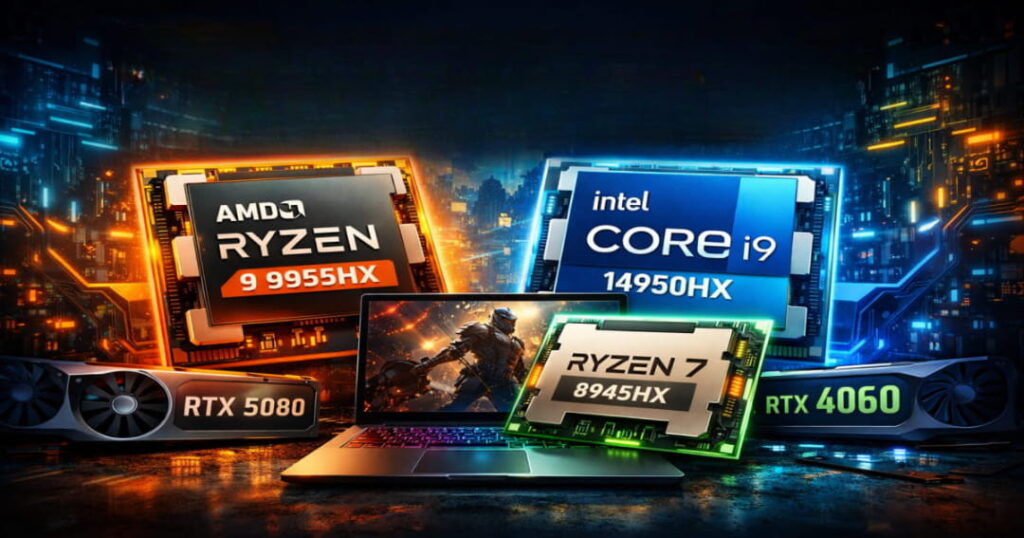
AMD Ryzen 9 9955HX (Zen 5)
Best overall gaming laptop CPU of 2026
Specs:
- 16 cores / 32 threads
- Boost up to 5.4GHz
- Large 80MB+ cache
- HX series (high power)
Why it’s excellent:
- Crazy multi-core performance
- Fantastic for streaming + gaming together
- Lower temps than Intel HX chips
- Excellent battery efficiency for its class
Why it’s excellent:
- Crazy multi-core performance
- Fantastic for streaming + gaming together
- Lower temps than Intel HX chips
- Excellent battery efficiency for its class
Intel Core i9-14950HX | Core Ultra 9 285HX
– High-Performance Laptop CPUs
Specs:
- Hybrid architecture (Performance + Efficient cores)
- 24 cores (8P + 16E)
- Boost up to 5.6GHz
Strengths:
- Top-tier single-core speed
- Best for esports titles
- Great for multitasking
- High FPS in CPU-heavy games
Downsides:
- Runs hotter
- Higher power consumption
Best for:
- Competitive gaming (240–360Hz screens)
- Heavy multitaskers
Mid-Range (Best Value for Most Gamers)
This is the sweet spot category for 90% of buyers.
AMD Ryzen 7 8845HX / 8945HX
Specs:
- 8 cores / 16 threads
- Strong boost clocks
- Very efficient
Why it’s perfect:
- Excellent gaming performance
- Lower heat
- Better battery life
- Cheaper laptops
Best for:
- RTX 4060 / 4070
- Students
- Casual + serious gamers
Intel Core i7-14700HX / Core Ultra 7 265H
Specs:
- 20 cores hybrid
- Very strong multi-core
- Good single-core
Strengths:
- Superb value
- Handles editing + gaming
- Very stable FPS
Ideal for:
- Mid-budget gaming laptops
- Creators who also game
Budget Gaming (Best Under Tight Budget)
AMD Ryzen 7 7840HS / 8840HS
Still very capable in 2026.
Why:
- Efficient
- Cool running
- Good FPS in 1080p gaming
Pair with:
- RTX 4050 / 4060
Perfect for:
- Students
- Entry-level gaming
Intel Core i5-14500H / Ultra 5 235H
Good budget option.
Not extreme, but:
- Handles modern games smoothly
- Affordable laptops
- Good battery life
Avoid for:
- Heavy streaming or AAA ultra settings
Quick Comparison Table
| Processor | Cores | Performance Level | Best GPU Pair |
|---|---|---|---|
| Ryzen 9 9955HX | 16 | Extreme | RTX 5080/5090 |
| Core i9 14950HX | 24 | Extreme | RTX 5080/5090 |
| Ryzen 7 8945HX | 8 | High | RTX 4060/4070 |
| Core i7 14700HX | 20 | High | RTX 4060/4070 |
| Ryzen 7 7840HS | 8 | Medium | RTX 4050/4060 |
| Core i5 14500H | 14 | Budget | RTX 4050 |
How to Choose the Right CPU for Your Gaming Style
| Gamer Type | Recommended Games / Focus | CPU Recommendation | Notes |
|---|---|---|---|
| Casual Gamer | GTA V, FIFA, Valorant | Ryzen 7 / i5 | No need for i9/R9 |
| Competitive Gamer | High refresh rate games | Intel HX or Ryzen 9 | Stable FPS matters most |
| Streamer / Creator | Gaming + OBS + Editing | 16+ cores, Ryzen 9 or i9 | Handles multitasking & streaming |
| Student Gamer | Battery + budget games | HS series | Prioritize battery life & cost |
Practical Buying Tips (Very Important)
| Category | Tips / Details |
|---|---|
| Priority Order |
1. GPU 2. CPU 3. Cooling 4. RAM |
| Minimum Specs (2026) |
• 16GB RAM • SSD • 6+ cores |
| Avoid |
• U-series CPUs • Old 11th/12th gen • Dual-core processors |
| Check / Review |
• Laptop cooling reviews • TGP of GPU • Thermal throttling tests Even the best CPU fails in a bad cooling chassis. |
Common Mistakes Gamers Make
- ❌ Buying i9 with RTX 4050
- ❌ Paying extra for CPU but weak GPU
- ❌ Ignoring thermals
- ❌ Falling for marketing names
Balance matters more than specs.
Final Verdict: Which Processor Should You Buy?
If you want a simple answer:
- Best Overall → Ryzen 9 9955HX
- Best Value → Ryzen 7 8945HX / i7 14700HX
- Budget → Ryzen 7 7840HS
- Esports Focus → Intel HX chips
For most users:
A good Ryzen 7 or Core i7 laptop is more than enough.
No need to overspend unless you’re a hardcore gamer or creator.
Frequently Asked Questions
1. Which gaming laptop processors are best in 2026?
- For gamers and power users, Ryzen 9 9955HX and Intel Core i9 HX/Ultra 9 series lead the pack. For most gamers, Ryzen 7 or Core i7 processors offer excellent performance at a better price.
2. Is CPU more important than GPU for gaming laptops?
- GPU impacts graphics quality and FPS the most, but the CPU controls stability and smoothness. A weak CPU can bottleneck even a powerful GPU, so both should be balanced.
3. How many cores are enough for gaming in 2026?
- At least 6 cores are required. For smooth modern gaming and multitasking, 8–14 cores are recommended.
4. Intel vs AMD: Which Processor Suits Gaming Laptops Best?
- Both are excellent. Intel usually offers slightly better single-core performance for esports games, while AMD provides better efficiency, lower heat, and battery life. Choose based on budget and laptop cooling.
5. Is Ryzen 7 or Core i7 enough for AAA games?
- Yes. A Ryzen 7 or Core i7 paired with RTX 4060/4070 can easily handle modern AAA games at high settings without issues.
6. Do HX processors perform better than H or HS?
- Yes. HX chips deliver maximum performance but use more power and run hotter. H/HS are more balanced and better for thin or portable gaming laptops.
7. How long will a good gaming processor last?
- A strong mid-range or high-end processor can comfortably last 4–5 years for gaming if paired with enough RAM, SSD, and proper cooling.
Conclusion
Gaming laptops in 2026 demand powerful processors more than ever. The CPU now directly affects FPS stability, multitasking, and overall smoothness.
Instead of chasing the highest number, choose smartly:
- Match CPU with GPU
- Pick good cooling
- Focus on real performance
A balanced configuration will always outperform a flashy spec sheet.
If you invest wisely today, your gaming laptop will easily last 4–5 years without feeling outdated.
Choose performance. Choose balance. Game smarter.